Independent setup guide · not affiliated with Wavlink · no sign-in or phone call required
ap.setup / Models
Model directory

Find your Wavlink model.

Dozens of Wavlink extenders exist, and nearly all of them share the same login. Find your model below, then jump to the steps that fit it.

http://ap.setup
Good news

They (almost) all set up the same way

Whether you've got an indoor plug-in or a weatherproof outdoor unit, the login address is the same: ap.setup or 192.168.10.1, default password admin. The differences between models are mostly the available modes and the physical setup — not the login. So you usually only need two things: the general steps, and any quirk specific to your type of unit.

Where's my model number?

Check the sticker on the back or underside of the unit. It starts with WL- or WN followed by digits (for example WN579X3). That code tells you which group below you're in.

Browse by type

Model groups

Pick the group that matches your unit. Each links to the setup steps that actually differ for it.
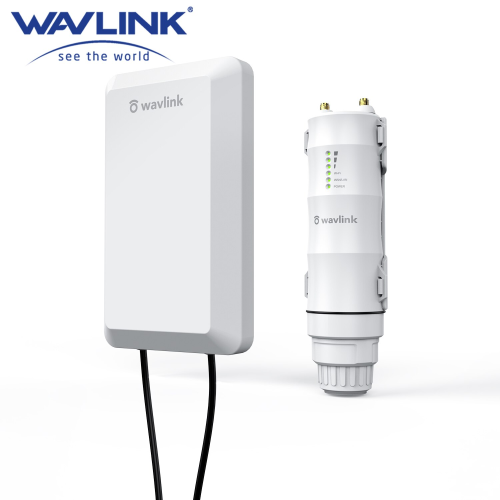
Wavlink outdoor access point thumbnail

Outdoor / weatherproof

Full guide →

The premium line — PoE-powered, mounted, AP mode, IP65–IP67 rated. Setup differs enough to warrant its own page.

WN570HN2 · HS2 (N300)WN570HP2 (N300)WN570HA1 · HD2 (AC600)WN570HA2 (AC1200)WN572HG3 · HD4 (AC1200)WN572HP3 (AC1200)WN573HX1 · HD6 (AX1800)
Wavlink AC1200 indoor extender thumbnail

Indoor plug-in — AC1200 dual-band

Setup steps →

Wall-plug dual-band repeaters with Repeater/AP/Router modes. The standard setup applies.

WN579X3 · Aerial XWN579X3-D · Aerial XDWN579G3WN579A3WN575A3
Wavlink N300 indoor extender thumbnail

Indoor plug-in — N300 single-band

Setup steps →

Entry-level 2.4GHz repeaters with Repeater/AP modes.

WN578R2 · Aerial S2WN578S2 · Aerial S2QWN578W2WN578N2WN523N2
Wavlink WiFi 6 extender thumbnail

WiFi 6 — AX series

Setup steps →

Newer high-throughput models with WPA3. Same login, newer interface. (The outdoor AX1800, WN573HX1, lives in the outdoor group.)

WN583AX1 · Aerial D4X (AX1800)AX3000 series
Independent help resource. Not the official Wavlink site and not affiliated with or endorsed by Wavlink. Model names are trademarks of their owner and used here only to help users identify their device.